AI Image Generator

Create images from text or reference photos with the Nano Banana 2.1 AI image generator. Explore product scenes, portraits, and artwork with model-specific settings.

Prompt Templates
Explore more prompts
Cobalt-blue glass perfume bottle on a pale stone pedestal in a sunlit studio
Prompt Templates

Creative guidance

AI Image Generator: examples and practical tips

Create images from a brief or reference

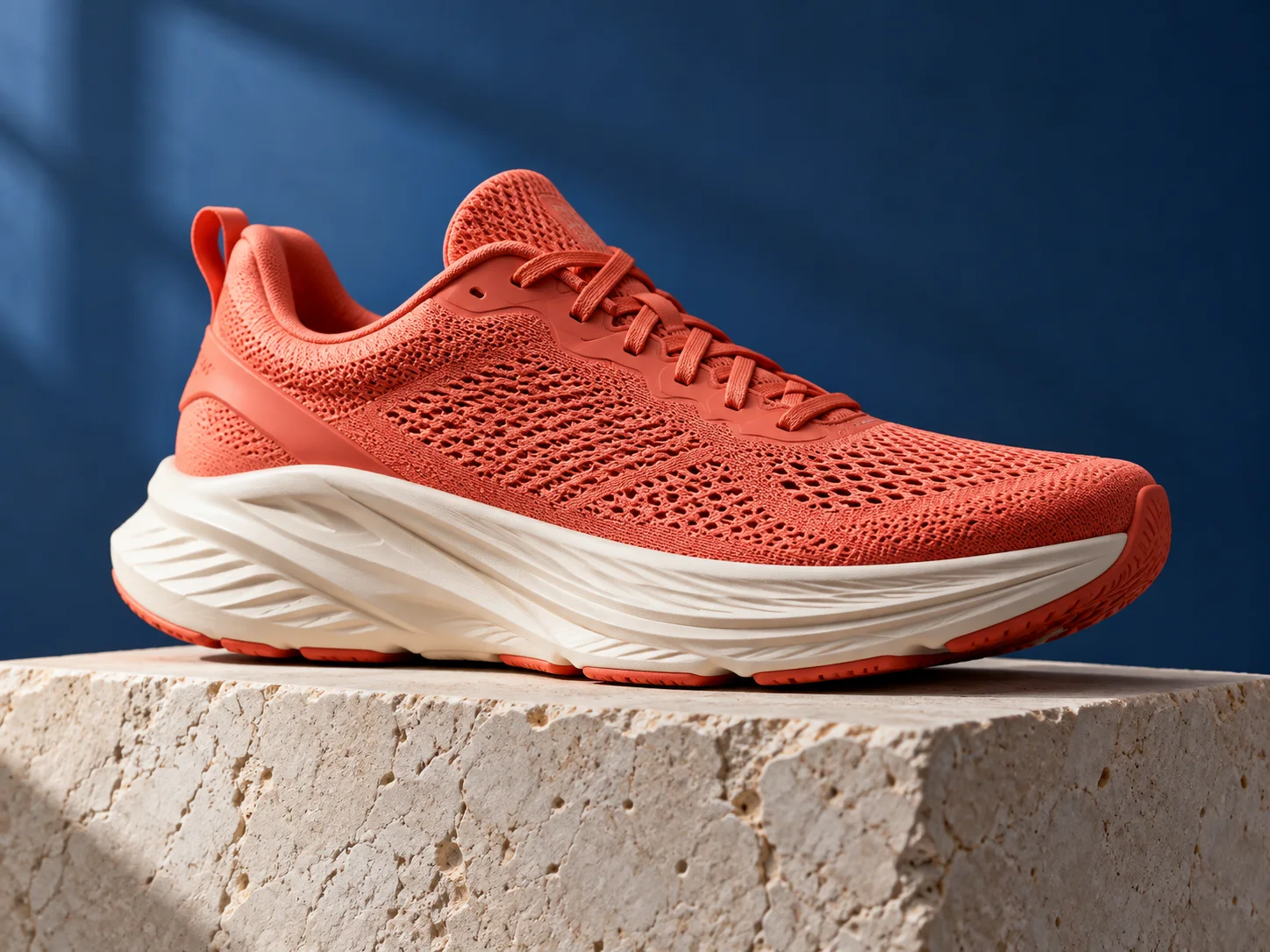
Coral red running shoe on a pale stone plinth against a blue studio backdrop
Illustrative concept visual created for this page; it is not a guaranteed model output.

Brief

Product launch concept

Use the AI image generator to explore a new visual from a written brief or guide a variation with reference photos. For a product scene, describe materials, lighting, camera angle, and space for copy. For an illustration, add the medium and palette. Choose an available model and review its output settings before generating.

  • The subject, camera angle, lighting, and empty space form a concrete advertising brief.
  • Example prompt: “A coral-red running shoe on a pale stone plinth, soft studio lighting, deep-blue backdrop, three-quarter view, realistic fabric texture, and open space for a headline added later. No lettering.”

Optional input

Use a reference when it adds direction

A reference is optional for this workflow. Add one when it helps guide the subject, composition, or treatment. A fictional subject and specific environment give the model a coherent visual direction.

  • Example prompt: “Editorial portrait of a fictional botanist in a greenhouse, soft overcast light, eye-level camera, muted green palette, realistic skin texture, portrait composition.”
  • A written brief is enough to create a new scene from scratch.

Settings

Choose a practical output format

Select a model and choose the available output settings for the intended placement. Use a portrait crop for a cover or a wide crop for a banner.

  • Use text-to-image for a new scene; use image-to-image when you have a source image to guide the result.
  • Review the available settings and credit estimate before submitting.

Review

Review the generated image

Inspect composition, subject details, and any generated text. Refine one part of the prompt for the next draft. Compare the result with your brief or source before using it.

  • AI generation creates a new image; details, spelling, anatomy, and factual accuracy need review.
  • Change one part of the brief at a time so each new draft is easier to evaluate.

From brief to reviewed image

How to use AI Image Generator

Describe the image subject, setting, and intended use, such as a product scene or social cover. Then shape the result with the subject, style, composition, and details relevant to this workflow.

  1. 01

    Write a visual brief

    Describe the image subject, setting, and intended use, such as a product scene or social cover.

  2. 02

    Set the visual direction

    Add a camera view, lighting direction, and style. Use a reference photo when an existing subject should guide the image. Use the example prompt above as a starting point, not a required template.

  3. 03

    Choose output and generate

    Choose a model and an available aspect ratio and resolution. Review the credit estimate before generating. Check the current model, output choices, and credit estimate before submitting.

  4. 04

    Review and refine

    Inspect composition, subject details, and any generated text. Refine one part of the prompt for the next draft.

Nano Banana 2.1 Pricing & Credit Packs

Choose a monthly plan, save 50% with annual billing, or add credits with a one-time pack.

Save 50%

Basic

Great for getting started

$19$9.50/month
$228$114 billed yearly7,200 credits/year

Auto-renews · Cancel anytime


Includes

  • AI Image Generation & Editing
  • GPT Image 2 & Nano Banana 2
  • Watermark-free downloads
  • All style templates included
  • Priority generation queue
  • Basic customer support
  • Early roll-out of new features
  • Commercial Use License
Popular
Save 50%

Pro

Best for regular creation

$39$19.50/month
$468$234 billed yearly18,000 credits/year

Auto-renews · Cancel anytime


Includes

  • AI Image Generation & Editing
  • GPT Image 2 & Nano Banana 2
  • Watermark-free downloads
  • All style templates included
  • Priority generation queue
  • Priority customer support
  • Early roll-out of new features
  • Commercial Use License
Best Value
Save 50%

Max

Built for high-volume production

$99$49.50/month
$1,188$594 billed yearly48,000 credits/year

Auto-renews · Cancel anytime


Includes

  • AI Image Generation & Editing
  • GPT Image 2 & Nano Banana 2
  • Watermark-free downloads
  • All style templates included
  • Highest priority generation
  • Priority customer support
  • Early roll-out of new features
  • Commercial Use License

Common questions

AI Image Generator FAQ

Try AI Image Generator in Nano Banana 2.1

The subject, camera angle, lighting, and empty space form a concrete advertising brief. Start with a focused brief and review the generated image against your intended use.