Text to Image AI

Turn text into images with Nano Banana 2.1. Describe a scene, illustration, or product concept, then choose an AI model, aspect ratio, and available output resolution.

Prompt Templates
Explore more prompts
Cobalt-blue glass perfume bottle on a pale stone pedestal in a sunlit studio
Prompt Templates

Creative guidance

Text to Image AI: examples and practical tips

Build a visual from words alone

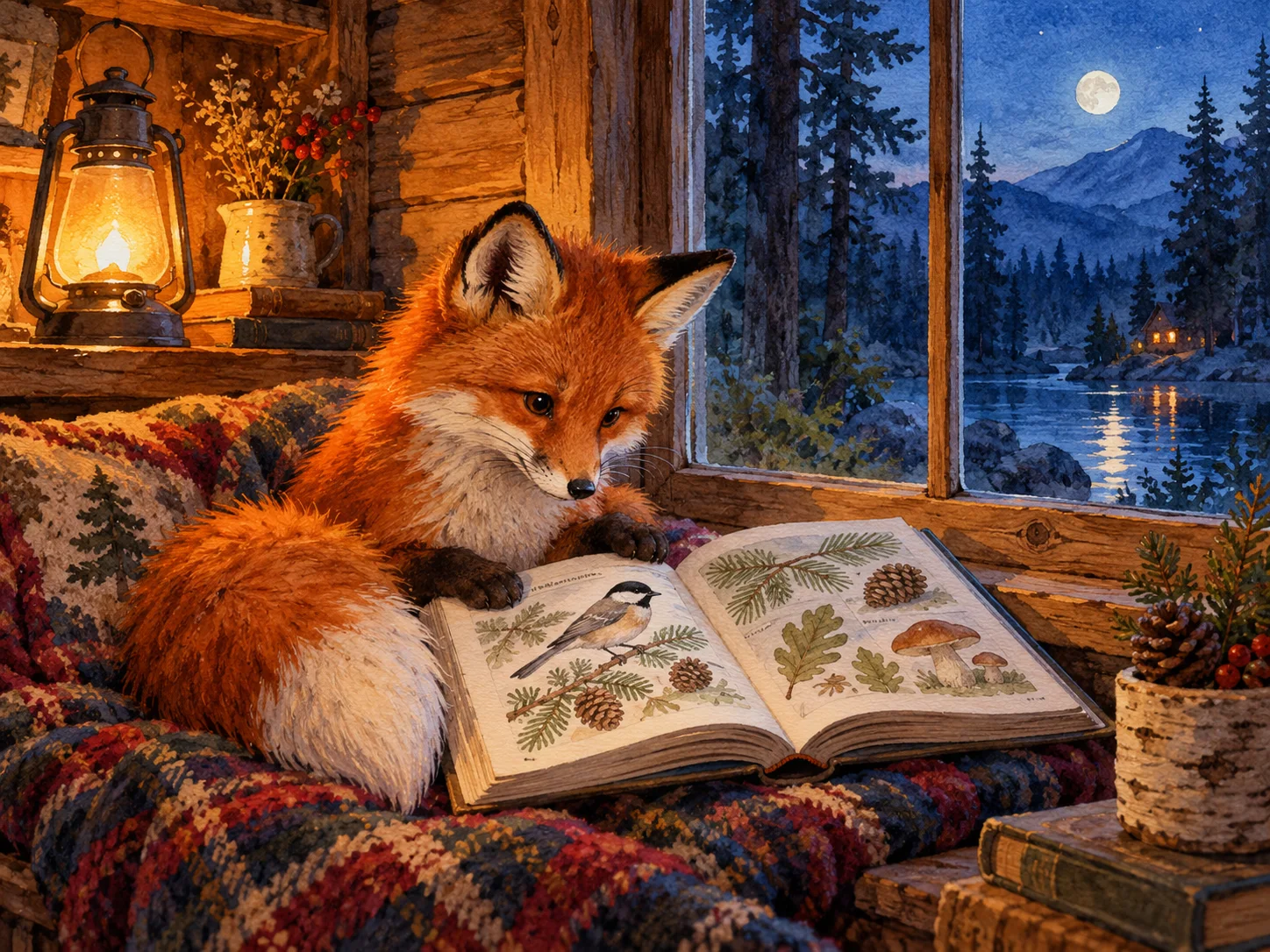
AI-generated watercolor concept of a fox reading by a woodland window
Illustrative concept visual created for this page; it is not a guaranteed model output.

Brief

Storybook scene

Text to image AI creates a new picture from words, making it useful for story illustrations, campaign concepts, and scenes you have not photographed. Start with a subject and setting, then explain framing, light, and style. Keep the first prompt focused so you can judge whether the composition matches your idea.

  • The medium and color contrast set the mood without relying on an uploaded source.
  • Example prompt: “Watercolor illustration of a small fox reading beside a woodland window, warm amber lamplight, blue evening outside, generous paper texture, no text.”

Optional input

Use a reference when it adds direction

A reference is optional for this workflow. Add one when it helps guide the subject, composition, or treatment. Positioning the subjects leaves useful space for a separate design layer.

  • Example prompt: “Wide landscape photo concept of a coastal hiking trail at sunrise, tiny hikers in the lower left, ocean mist, clean open sky for a title added later.”
  • A written brief is enough to create a new scene from scratch.

Settings

Choose a practical output format

Select a model and choose the available output settings for the intended placement. Use a portrait crop for a cover or a wide crop for a banner.

  • No negative-prompt or seed control is exposed in this workspace; put important constraints in the main prompt.
  • Review the available settings and credit estimate before submitting.

Review

Review the generated image

Check the subject and visual hierarchy at full size. Adjust the brief and add exact typography separately if needed. Compare the result with your brief or source before using it.

  • Text-to-image does not preserve an existing person or product unless you add a reference and switch to a reference-led workflow.
  • Change one part of the brief at a time so each new draft is easier to evaluate.

From brief to reviewed image

How to use Text to Image AI

Write a scene brief with one primary subject and a clear setting; a source image is not required. Then shape the result with the subject, style, composition, and details relevant to this workflow.

  1. 01

    Write a visual brief

    Write a scene brief with one primary subject and a clear setting; a source image is not required.

  2. 02

    Set the visual direction

    Describe framing, light, color, and medium. Keep secondary objects consistent with the main scene. Use the example prompt above as a starting point, not a required template.

  3. 03

    Choose output and generate

    Choose a supported output ratio for your placement and review the model settings and credit estimate. Check the current model, output choices, and credit estimate before submitting.

  4. 04

    Review and refine

    Check the subject and visual hierarchy at full size. Adjust the brief and add exact typography separately if needed.

Nano Banana 2.1 Pricing & Credit Packs

Choose a monthly plan, save 50% with annual billing, or add credits with a one-time pack.

Save 50%

Basic

Great for getting started

$19$9.50/month
$228$114 billed yearly7,200 credits/year

Auto-renews · Cancel anytime


Includes

  • AI Image Generation & Editing
  • GPT Image 2 & Nano Banana 2
  • Watermark-free downloads
  • All style templates included
  • Priority generation queue
  • Basic customer support
  • Early roll-out of new features
  • Commercial Use License
Popular
Save 50%

Pro

Best for regular creation

$39$19.50/month
$468$234 billed yearly18,000 credits/year

Auto-renews · Cancel anytime


Includes

  • AI Image Generation & Editing
  • GPT Image 2 & Nano Banana 2
  • Watermark-free downloads
  • All style templates included
  • Priority generation queue
  • Priority customer support
  • Early roll-out of new features
  • Commercial Use License
Best Value
Save 50%

Max

Built for high-volume production

$99$49.50/month
$1,188$594 billed yearly48,000 credits/year

Auto-renews · Cancel anytime


Includes

  • AI Image Generation & Editing
  • GPT Image 2 & Nano Banana 2
  • Watermark-free downloads
  • All style templates included
  • Highest priority generation
  • Priority customer support
  • Early roll-out of new features
  • Commercial Use License

Common questions

Text to Image AI FAQ

Try Text to Image AI in Nano Banana 2.1

The medium and color contrast set the mood without relying on an uploaded source. Start with a focused brief and review the generated image against your intended use.